How To See Your Friend's Bitmoji On Snapchat
Your existing Snapchat friends will see the 3D Bitmoji when they click on your profile but anyone looking to add you as a new friend. First launch the Snapchat mobile app and tap on your profile picture thumbnail at the top-left corner.
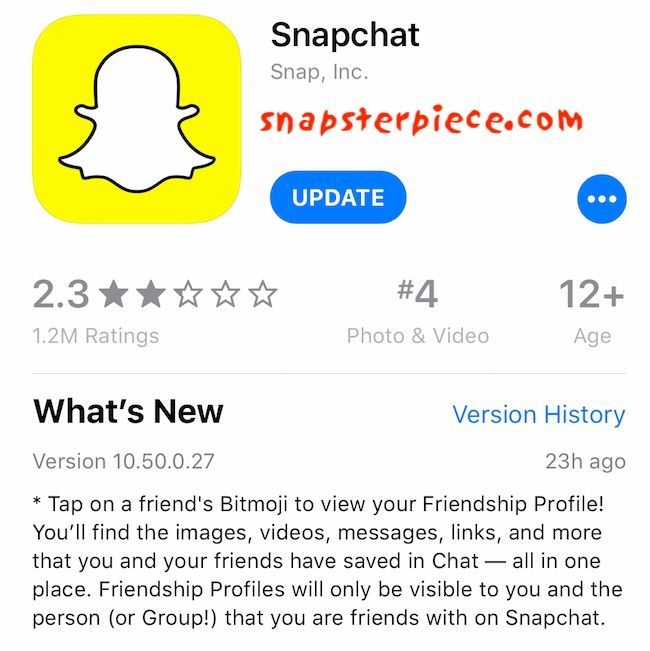
Snapchat Support Forum Snapchat Marriage Challenge Messages
Bitmoji stickers appear on the first few pages of stickers.

How to see your friend's bitmoji on snapchat. After viewing a story for once if you wish to rewatch a snapchat story you can press the replay button found in the story section to view someones story again. If you dont see this option be sure to download the latest version of Snapchat via an update through the App Store. Click on Bitmoji now and then you have to click on create Bitmoji option which is shown on the bottom of your screen in the Snapchat app.
Set up Friendmoji on the Bitmoji App. Tap the Map symbol in the bottom left of the screen. All you need to do to check is go to your bitmoji on the map click on it and click to update status.
Your Friendmoji list will then refresh with your selected friend. Swipe to find your friends avatar. To use Friendmoji stickers in Snapchat both Snapchatters must have their Bitmoji successfully linked with Snapchat.
If the person is typing youll see their Bitmoji on the bottom left of your chat. A bit like foursquare but for the teens. How to add a friend using contacts in the phone.
Ghost Mode Only Me. A user tweeted what does other snap chatters mean on story views tagging snapchat support back in 2017. Any user who has a Bitmoji linked to Snapchat can simply open the camera and tap the screen to open lenses where they can swipe until they find the Bitmoji according to Snapchat.
Youll see your Bitmoji character in several scenes often with cute or clever phrases. On Snapchat you have the option to add a bitmoji selfie for your profile picture. Press your Bitmoji in the top left corner then tap the Add Friends option.
In the Profile screen scroll to find Bitmoji. Tap My Contacts and toggle on Connect Contacts so that you can see your friends in your stickers. To find your Bitmoji Stories launch the Snapchat app and swipe left to reach the Discover window.
If you view someones Snapchat profile - say to look at their Snapchat score username or any photos and messages saved in your chat with them - they arent notified. Bitmoji is your own personal emoji. Youll discover a list of various users including mutual friends under the Quick Add menu.
You can choose from one of four privacy settings. If youre the stalker you can watch peoples Stories by heading to the friends tab or clicking on the Snapchat map. If prompted to do so follow the on-screen instructions to confirm this change.
Now it has been adopted by pretty much every social networking site out there of course but the original hasnt lost its charm. When you log in in the Bitmoji account there will be popup notification at the bottom. Tap the back button to return to the Keyboard list.
How to add your friend in snapchat. So when users found that their Bitmoji stickers were missing from the Snapchat app on Thursday they werent happy. Then you have to log in in your Bitmoji account.
Tap Phone and enter YOUR own phone number. In the Bitmoji app tap on the Gear icon at the top-right corner. Just like Cameos Selfies Snapchat by default allows any user on Snapchat to see your Snapchat Stories.
How To See Who Viewed Your Location On Snapchat 2021. In the search bar at the top type in Bitmoji Stories. How to stop others from seeing your Snapchat Story.
Snap Map also lets you view popular Snap locations. It will look. Press and hold on any Friendmoji to reveal a list of your friends avatars.
To do this there are 3 main ways. Tap Bitmoji in the list. But there is more to Snapchat than just sending snaps to your friends.
The Astrological Profile is located in your Snapchat profile which you can open by tapping on your Bitmoji image. Create an expressive cartoon avatar choose from a growing library of moods and stickers - featuring YOU. How to see who viewed your snapchat story usually if you click on your story and swipe up a menu will appearHowever if you click on their snap map avatar while they have a special bitmoji showing then you might be in troubleHowever the feature is no longer available.
Tap the Settings symbol in the top right corner of the screen. As your physical location changes your Bitmoji will move on the map. You can tap the Astrological Sign enter your birthday time of birth and place of birth to get your Astrological Profile.
Snapchat was the first to introduce the concept of Stories. Next hit the Profile icon at the top. Slide the Allow Full Access switch to the On green position.
Put them into any text message chat or status update. On Snapchat theres no way to check who your friends have added. As a result many snapchat users are uncertain about whether their friends can see if theyve viewed their location or not.
How To See Who Viewed Your Location On Snapchat 2020 New Update. Toggle on Let others find me using this number. First within the Snapchat app all you have to do is to enter the chat and look.
To have fast access to your friends correspondence and account you should add them to your Friendlist first so you can always see whats going on in their life and you can quickly write a message. Select the correct profile and tap and hold on the title. They do not appear on their own unless you have subscribed to them.
Blog photography for beginners hairspray and highheels. Follow these steps to do so. Select the purple icon with your sun sign just next to your name.
On Snapchat you must first go to your profile to see a list of mutual friends. No one except for your friends would be allowed to contact you on Snapchat. As long as you have the Snapchat app open and dont turn on Ghost Mode your friends and family members will see your Bitmoji your customizable animated avatar at your current location on their Snapchat map.
Choose a friend from the pop-up list. The other users can see the bitmoji selfie that you put on your Snapchat display. Now at the top-right corner tap on the settings icon.
You can sync the app. When you open Snap Map you will see the Bitmoji or figures of your friends in their real-time location along with the local time and weather. All you need to do to check is go to your bitmoji on the map click on it and click to update status.
First open the Snapchat app then choose the avatar style Bitmoji Deluxe in My Profile. Admire the updated weirdly 3D digital version of yourself.

How To Add My Friend S Bitmoji To My Snapchat Women Com
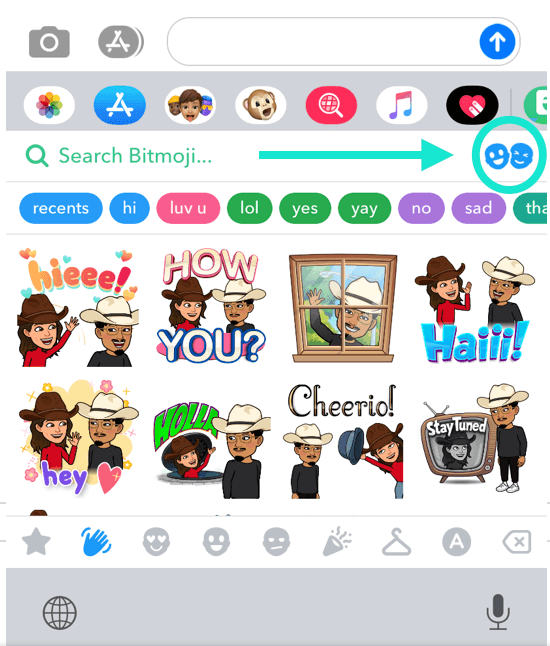
Set Up Friendmoji On Ios Bitmoji Keyboard Bitmoji Support


Komentar
Posting Komentar