How To Get Rid Of Snapchat Filters On Saved Photos
Select the intended image you want to remove the Snapchat filter from and click on it to open. How to use Snapchat and how to get Snapchat filters.
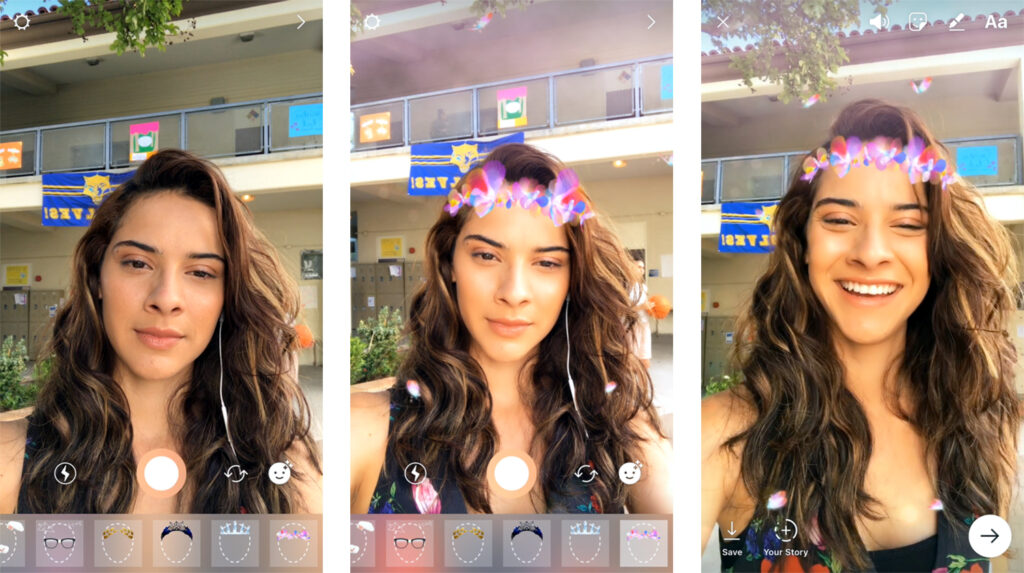
How To Remove Snapchat Filter From Picture Step By Step
You could use the clone tool which is in most if not all photo editors.

How to get rid of snapchat filters on saved photos. I know there is an app for iOS called Normalize is there any Android equivalent. The process to save a photo is much quicker when one of those two settings is active. How to Remove Snapchat Filter from Saved Pictures by using the application.
Any apps I can use to remove a filter from a picture. I am not a professional photo editor nor do I claim to be. Step 4 Click on the edit option from the popup and from here you can change edit or remove filters from the picture.
Go to the Memories where your snaps are saved. Now choose the Edit Photo option to make changes and remove the filter. Elise senior pictures pictures senior photographers.
Any apps I can use to remove a filter from a picture. On your iPhone launch the file manager app that you currently have. To clear all saved messages in a conversation tap on the X next to it and then tap on Clear to confirm your selection.
Open the image and open the three-dot icon on the top right of the screen. After you reopen your chats the deleted. You can remove the Snapchat filter from your saved photos by searching the saved photos on your app.
Go to the Edit Snap option. Tap your profile icon in the upper-left corner. One for the caption and another for the countdown.
In most cases this will work but it greatly depends. Caption cleansubscribe for more how to videos. Open Snapchat and navigate to Settings.
Instructions to remove the Snapchat filter from a saved picture. So lets get started with the process and learn how to get rid of filters from a picture. This means you can edit the picture that has filters added to it.
Locate the Three dot icon on the top-right corner of the screen and click on it. You can remove the Snapchat filter from your saved. Select Memories where the images are saved.
On the file manager browse through the folders on your iPhone and enter the Snapchat folder. If no filters are added to an image you cannot edit them. Tap the settings icon in the upper-right corner.
In case the picture that you want to edit is saved on your Snapchat app then the process of eliminating the filters gets very simple. Delete a saved thread. This will help you remove the Snapchat logo from the photo and make the photo more unique or realistic.
Next the application allows us to get rid of the watermark in the photo. Obviously if Snapchat made filters intended to make people look more beautiful by making their skin lighter that would be pretty darn problematic. To start with navigate to the saved snaps in your Snapchat app.
There should be one in iPhone devices. So if you want to know how to remove the Snapchat filter first you have to save the photo with filters on your device. Usually a Snapchat message or snap consists of a photo with a couple of overlays.
Posted by 7 years ago. If you want to get rid of a saved thread for whatever reason tap on. Step 3 Select that image for a few seconds and a new popup will appear with different options.
Step 2 Now search for the picture that you want to edit or remove filters from. Open the Snapchat app. Here find the folder for temp and open it.
A tweak is basically a modified version of an original app built on the same code base but. Step 1 Open Snapchat app and navigate to the saved snaps section. UPDATE 83120 - I recently had someone be really nasty to me over an edit.
Press and hold over a picture to select it. You can save it as a new copy or edit the original picture. Now a number of snap editing tools will appear on your phone screen.
Tap on Clear Conversation. Whether its a Filter that frames the moments at a friends wedding or a Lens that makes birthdays even more hilarious your custom creations will make any event more special. The thing is a lot of the filters in question simply lighten the overall picture presumably because its going for a light bright aesthetic that is popular on so many peoples social.
After saving the picture to your device now you can use Snapchats in-built tool Magic Eraser for removing the filter. Can you get rid of Snapchat filters on saved photos. How to remove text in Snapchat photo for freeThe name of the app.
Navigate to the image for which you want to remove the filter. Tap Memories to load the Saved images. I have some pictures that have Snapchat geofilters on them and I want to return them to their original state.
Once youve adjusted this setting your photos will save to the specified locations any time you use the Snapchat Save Button. How to Remove Snapchat Filter from Saved Pictures by using the application. Just set the source to somewhere near the yellow lines while not selecting the yellow line in the source and then draw over the lines.
Remove Filter from Saved Image. Step 2 Now search for the picture that you want to edit or remove filters from. Step 1 Open Snapchat app and navigate to the saved snaps section.
Select no filter for the image and save it. 3 hours agoIt will help you get rid of for example dog ears and stars in Snapchat filters. With that said heres how to retrieve Snapchat pictures on your iPhone.
Quick Object Eraser also removes the date from the photo. Apart from the obvious first of all you are able to use the unique location filters from the world around at ease. Personalize your own Filters and Lenses.
In case the picture that you want to edit is saved on your Snapchat app then the process of eliminating the filters gets very simple. Custom snapchat filters to order text the following.

Snap To Unlock Snapchat Unlock Snap Filters Snaps

Julidalovaa In 2021 Snapchat Filters Snapchat Filters


Komentar
Posting Komentar