Why Are My Snapchat Filters Lagging
Here are a few troubleshooting methods you can try to make Snapchat filters work for you again. How To Stop Snapchat From Crashing Try Each Of These In Order Check that your iPhone or Android device is updated with the latest software available.
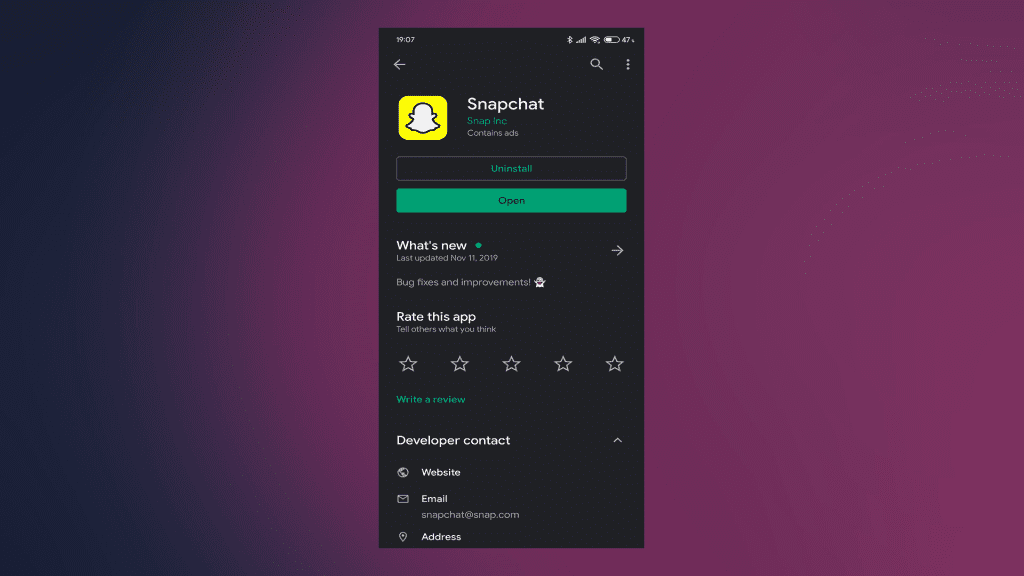
Fix Snapchat Stutters Lag And Crashes On Android Mobile Internist
An official resolution for Snapchats black screen issue is yet to be found but it is advised that users must try logging out and then logging in back again ensure that the Memories have been backed up before logging out as it could result in a loss of data.

Why are my snapchat filters lagging. On iPhone this is iOS 932. Tap on the app and then click Clear Cache. Used every USB port on PC until I purchased a USB hub that is powered.
Is the problem your phone. Its just an awful experience and its a shame because snapchat is a huge form of communication and updates among my friends and. Due to huge number of submissions Snapchat does not provide reasons as to why your geofilter was rejected.
Toggle your iPhone put airplane mode on and then off again. All graphics and portions of the graphic must be 100 original. You can check for the update in your Settings app General Software Update.
If it takes to long when you hold it try to restart your phone to free the memory then try it again. Im using Snap Camera on Windows and the filters My Twin and My Other Twin from SnapChat Inc. Try accessing Snapchat via SnapchatPC a free desktop-based Snapchat viewer.
Snapchat is a service for sending and receiving photos videos and text messages on mobile phones. Create your own Snapchat Filters and Lenses. The software is compatible with both Windows and Mac and comes with easy installation programs.
After reading through all the comments about people contin. Logos and trademarks including school crests or similar marks are not. If your phone is slow it could take a while to detect your face and show up the filters.
Super Laggy Filters. If your phone is struggling to find a strong connection you simply cant play videos without the chance of lag occurring. The best thing about Snapchat is the ability to share videos and images on-the-go.
It is a simple thing to do. Next youll be able to configure hotkeys for each of your favorite Lens. Get the Speedify bonding a.
But inconsistent mobile data and Wi-Fi connectivity can present a big problem for users that want. To configure your favorite Lens hotkeys first click the Favorite button in the top left corner of Snap Camera. Snap Camera is a great way to add filters to your live streams and video calls.
Learn how to fix slow Snapchat by getting a fast and stable connection to the Internet in order for your stories to upload faster. When the hotkey is triggered the favorite Lens will be activated. Snapchat is a service for sending and receiving photos videos and text messages on mobile phones.
After finishing the operation check if the Snapchat not working on. Sometimes when you use a very old version of the app then this problem can happen and sometimes when you update the app to the latest version then also the Snapchat video freezes issue can come on your Android phone because of the faulty updates. Nothing changes on my end in terms of how Im using it.
I saw samsung users having similar issues and turning off nuplayer in the developer settings helped but that option isnt available on my ZF. The first reason why your Snapchat filters not working is because when you tap and hold your face. Here is the order I used to fix the snapcam.
But here is a list of possible reasons to look into as mentioned on official site. Having problems as of lately with video snapchats. This has happened once and then randomly started working again.
I have an m7 and the video is like i filmed it with a flip phone from 10 years ago and front pictures and videos are super red all the time. Whereas the official website of Snapchat has also listed down a few guidelines to. Tap on Apps on some Android devices it is App Manager or Manage apps Find the Snapchat.
Was already updated 2. Snap Camera brings all the popular Snapchat filters that are in the market today right to your desktop. When recording they are super jerkylaggychoppy.
Snapchat wasnt like this before but started recently - any ideas about how to fix. Is your iPhone a model iPhone 5 or earlier. Click on the 2 buttons and shut down the Settings app.
Have been going from working perfect to being laggy and choppy. If so the problem may be your phones speed. Just follow the steps below.
Then click the Favorite Hotkeys button in the top right of the Favorites section. Unfortunately there is no easy or cheap way to solve this. The best place to start is by clearing the Snapchat cache.
Move to Apps section and find the app Snapchat. Drag it to the top and Uninstall it. There are a few reasons why Snapchat videos lag for you and Ill give a brief explanation of them belowConnection issuesOne of the major reasons for Snapchat video lag is a connection issue.
Heres a little tutorial for fixing SnapChat freezing and lag issuesEDIT. After following each YouTube video and snapcam recommendations I combined a few issues to get my snapcam working in 1080p. The sender of a message is able to determine the period that a message can be viewed by setting a limit between one and ten seconds.
So I finally fixed this issues on my end. Whether its a Filter that frames the moments at a friends wedding or a Lens that makes birthdays even more hilarious your custom creations will. You will see the Clear Data and Clear Cache button in the App details.
Answer 1 of 1. The sender of a message is able to determine the period that a message can be viewed by setting a limit between one and ten seconds. Launch Bluestacks to enter its main interface and then navigate to Settings.
Updated drivers for C920. If your Snapchat filters arent working it may be due to a software issue with your phone or it may be because your Snapchat app hasnt been updated. If the current or even the latest few versions were causing issues you can always downgrade by downloading the older well-performing version.
Check that you have the latest version of Snapchat installed. When youre traveling or out with friends its great to be able to snap a photo or short video and instantly share it to your Snapchat story for friends to see. To see if this is the case you should try to play videos on different apps to check.
Download older APK version. Tap and hold the Snapchat app in the App drawer or on the Home screen.
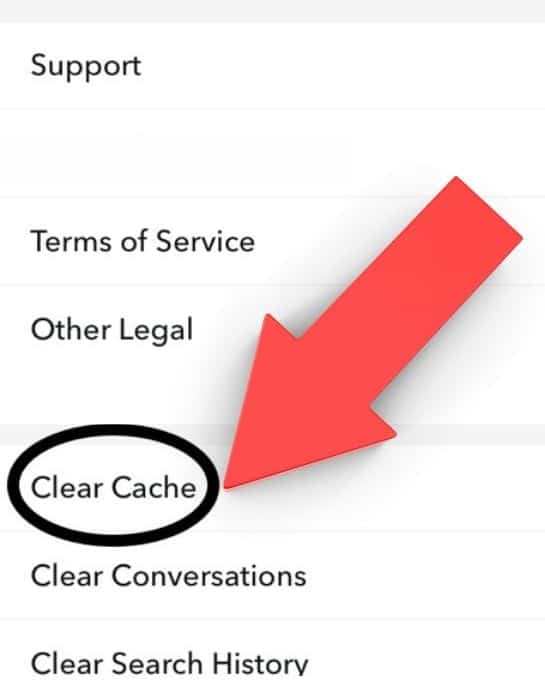
How To Fix Snapchat Lag On Android Kids N Clicks

Disney Pixar Filter How To Get And Use The 3d Cartoon Face Filter On Snapchat Instagram Tiktok


Komentar
Posting Komentar