How To Get Rid Of Snapchat Filters 2020
Press and hold over a picture to select it. To get the reindeer antler Snapchat filter simply take a snap of this Snapcode below which will temporarily open up the Snapchat lens for you to use on your dog.

How To Remove Snapchat Filter From Picture Step By Step
Enter your credentials and click continue.
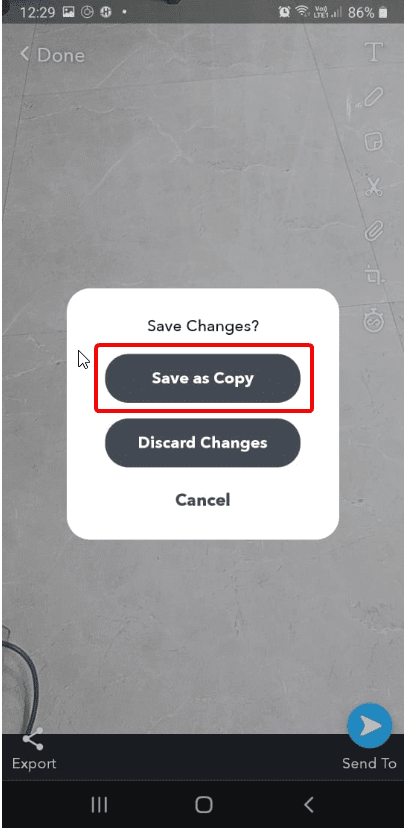
How to get rid of snapchat filters 2020. How To Get Rid Of Snapchat Update in 2020. Go to the Settings tab. Now a number of snap editing tools will appear on your phone screen.
Snapchat provides a lot of amazing filters that redefine your picture. Previously Snapchat included a Magic Eraser tool that Remove Snapchat Filter from an image. Like it or not since the Discover tab is part of the design of the app there is no way to simply get rid of it.
How to gain instagram followers fast in 2020 part 1 in. Pin By Nsayah Renee Davis On Insta In 2020 Snapchat Filters Instagram And Snapchat Instagram Quotes. Now choose the Edit Photo option to make changes and remove the filter.
How do you get the magic eraser on Snapchat 2019. Shortly after Christmas the lens disappeared from the Snapchat app. If i get a new notification it changes to 2 and then back to 1 once i open the new snapchat.
You can see more on my main mspy reviews page. Click on the Edit Snap option. This will unlink your bitmoji on Snapchat.
You will also be unable to access any new lenses and filters added by Snapchat. You could use the clone tool which is in most if not all photo editors. How to use Snapchat on apple watch in 2020 Apple watch.
This will help you remove the Snapchat logo from the photo and make the photo more unique or realistic. On the next screen tap on Unlink My Bitmoji at the bottom. Obviously if Snapchat made filters intended to make people look more beautiful by making their skin lighter that would be pretty darn problematic.
Step 1 Open Snapchat app and navigate to the saved snaps section. Snapchat users have a lot to say about the most recent update and from what we can tell most of it is not good. Use This Method To Arrange Your SC Friend List.
Next the application allows us to get rid of the watermark in the photo. Just set the source to somewhere near the yellow lines while not selecting the yellow line in the source and then draw over the lines. Click on the Top-right three-dot icon to access more options.
To start with navigate to the saved snaps in your Snapchat app. How to get rid of your number on snapchat. But not all of us are fond of using them.
So if you want to know how to remove the Snapchat filter first you have to save the photo with filters on your device. Snapchat is the fastest growing social networkever. 10 hours agoIt will help you get rid of for example dog ears and stars in Snapchat filters.
This means you can edit the picture that has filters added to it. Snapchats new Dance filters will be missing on older versions of the app. Instructions to remove the Snapchat filter from a saved picture.
How to maximize views on tiktok in 2020 30 tips in 2020. Its time to get rid of your 20 notes like crazy in February 2020 as a brand new note has been released. Tap Memories to load the Saved.
There are some third-party apps that claim that they can but it is highly unadvisable to do so. To get rid of the latest Snapchat update that you may have installed you will need to replace your app with a previous version. Hillary_h777 dixiedamelio if you have any issues of locked snapchat account tiktok account deleted files locked fb.
Remove Stickers from Snapchat Saved Images within minutes. Go to Apps or Applications. In most cases this will work but it greatly depends.
If you created your Bitmoji using the Snapchat login then it will not only be removed from Snapchat but also deleted from the Bitmoji app. The reindeer antler Snapchat filter was released in December 2018. Select the intended image you want to remove the Snapchat filter from and click on it to open.
How to get snapchat plus plus 2020. Alexiscupid matthew_west tiktok isnt the problem matthew. Your smartphone will now reboot itself.
Hold onto it while you drag it to the Trash can option on the Right list of editing tools. Paper is so 2019 so following in the same vein as the 10 note the new 20. Under My Account select Bitmoji.
Now all you know to do is make a new chronicle. There is however one way to get it back. Step 2 Now search for the picture that you want to edit or remove filters from.
So lets get started with the process and learn how to get rid of filters from a picture. After saving the picture to your device now you can use Snapchats in-built tool Magic Eraser for removing the filter. Steps to remove Snapchat stickers.
Step 4 Click on the edit option from the popup and from here you can change edit or remove filters from the picture. Snapchat messages media files snapchat screenshots app screen time and notifications etc. How to get the filter with the orange date on the side on snapchat.
Click on the Sticker on the Photo to select the item. With this version of snapchat you can directly save the picture video boomerang directly into your phone storage or in the gallery of. If no filters are added to an image you cannot edit them.
Quick Object Eraser also removes the date from the photo. Like it or not since the Discover tab is part of the design of the app there is no way to simply get rid of it. Can you get rid of the Discover tab on Snapchat in 2020.
Search for the Snapchat application in the list and select the application. Can you get rid of the Discover tab on Snapchat in 2020. Whether its a Filter that frames the moments at a friends wedding or a Lens that makes birthdays even more hilarious your custom creations will make any event more special.
This tool was later removed from the app for unwanted reasons. Select Memories where the images are saved. The top campaign in the apps history taco bells sponsored filter turned users faces into a giant taco shell.
If youre wishing you could turn back time and get rid of the new Snapchat update we hear youYoure certainly not alone but you may be out of luck. Can you get rid of Snapchat filters on saved photos. Still there are plenty of ways that will help you get the job done.
How do you remove custom Snapchat filters. Select Unlink on the dialog box to confirm. The thing is a lot of the filters in question simply lighten the overall picture presumably because its going for a light bright aesthetic that is popular on so many peoples social.
Click on the button that reads Updates Uninstall. There are some third-party apps that claim that they can but it is highly unadvisable to do so. Personalize your own Filters and Lenses.
In q4 2020 snapchat was downloaded over 100 million times.
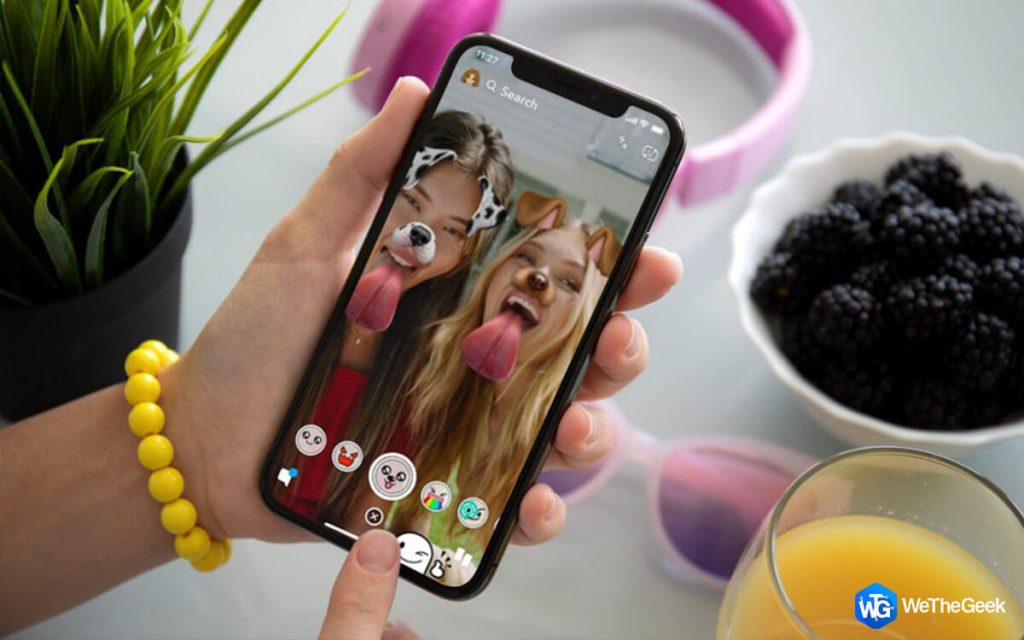
How To Remove Snapchat Filters From Saved Photo
How To Find All Snapchat Filters 2021 Youtube


Komentar
Posting Komentar