How To Get Rid Of Someone's Bitmoji On Snapchat
If you created your Bitmoji account using Snapchat Login your Bitmoji avatar will be permanently deleted if you unlink your accounts you will. You can unlink your Bitmoji by going back to the user menu tapping the Bitmoji avatars face and then tapping Unlink Bitmoji.
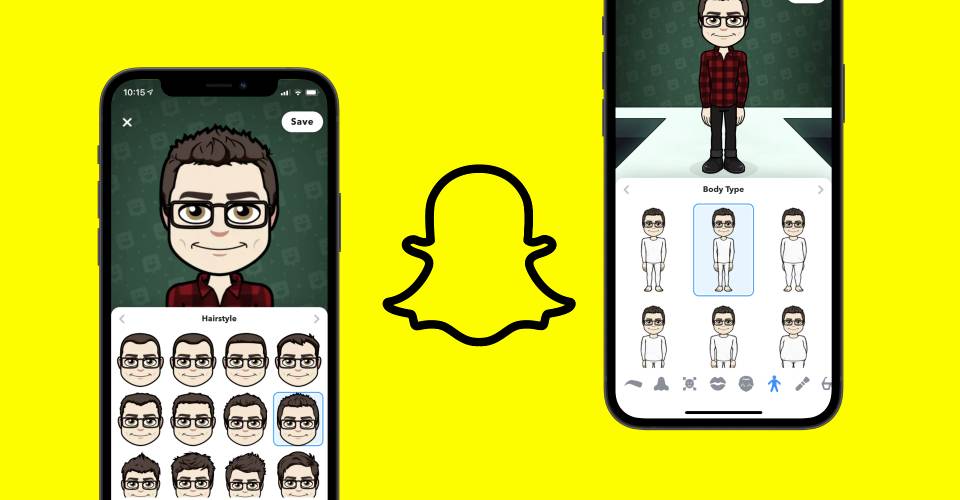
How To Edit Snapchat Bitmoji Change Outfit Screen Rant
Now go to Settings and scroll down right to the bottom.
How to get rid of someone's bitmoji on snapchat. The process of turning off the Snapchat Bitmojis in notifications is simple and quick. If it reads Just now that means the user is currently using the app. Put them into any text message chat or status update.
For iPhones when you open Snapchat tap your Bitmoji in the top left corner and then tap your Settings. Confirm you want to Unlink your Bitmoji. Select Unlink your Bitmoji on the bottom of the screen.
The feature is coming to both phones at the same time and using it is the same for each. Tap the three dots button in the left corner. How to Get FaceMask Bitmoji on Snapchat profile Picture.
Helpful 1 Not Helpful 1. Launch the Snapchat app. Select Unlink your Bitmoji on the bottom of the screen.
Follow these steps in order to get rid of the Bitmoji on Snapchat notifications. To remove your Bitmoji character from Snapchat without deleting the character tap your Bitmoji in the top-left corner of Snapchat tap the gear icon then select Bitmoji. Unlink Bitmoji from Snapchat.
Tap on your Bitmoji on the top-left corner of the phone. So for all those there is nothing to worry about. Tap on the small icon in the top left corner to open your home screen.
Can you delete outfits on Bitmoji. To delete your Cameo selfie launch the Snapchat app and tap on your Bitmoji in the top left corner of the screen. Scroll down and press Select Selfie.
On your snapcode screen tap the reverse arrow button on the right of the capture button. If you dont see this option be sure to download the latest version of Snapchat via an update through the App Store. A new screen will open showing a Create Bitmoji button.
On the next screen tap on Unlink My Bitmoji at the bottom. Under their name it will mention the last time they were online. That will bring up a long list of things but you should look for and tap Notifications.
Please like and subscribe to my channel and press the bell icon to get new video updates. To delete outfits tap Select choose the outfits you want to delete or tap All to select everything then tap the trashcan icon at the bottom of the screen. Open the Snapchat app and click on your Bitmoji icon in the top left hand corner of the screen.
Tap the gear icon or Settings in the top-right corner. Confirm you want to Unlink your Bitmoji. However they can see who had seen their location.
In the Who Can section tap on See My Location and choose your preferred option. Snapchat will immediately add your bitmoji avatar to the snapcode if youve created one. Snapchat keeps showing me that yellowdot thing like I have a friend request But every time I check it there is nothing there.
If you created your Bitmoji using the Snapchat login then it will not only be removed. Last tap Unlink your Bitmoji. Snapscore is a number mentioned besides their Snapchat username and Bitmoji is their Snapchat avatar.
You can get rid of it in a minute. If you dont see a. Friendmoji stickers star you and your friend in a single Bitmoji To use Friendmoji stickers open a chat in Snapchat and tap the Sticker Picker on the bottom menu.
Select Unlink on the dialog box to confirm. Easy I show you how you can get the Facemas. As a first step you can do what Snapchat is calling ghost mode When you choose this feature your Bitmoji will disappear from the map and no longer be visible to any of your friends.
First open the Snapchat app then choose the avatar style Bitmoji Deluxe in My Profile. Tap the gear icon or Settings in the top-right corner. From the main Snapchat screen tap on your Bitmoji in the top-left and then tap on the Settings cog icon.
If you are not able to see the Snapchat Score of that user but you can still see their Bitmoji then it is confirmed that they have deleted or removed you from their Friends list. In the Snapchat app tap on your Bitmoji in the top-left corner of the camera screen. Find the Settings icon in the top right corner and tap to open.
How do I get rid of Bitmojis on Snapchat notifications. This can be done by them tapping the setting icon whilst in snap map and it will come up with a list if anybody has viewed their location of p. As youre taken to the Bitmoji app tap on Create with Snapchat.
Id laugh if someone removed me and tried to add me again at the same time. Now locate the user on the map and tap on their Bitmoji avatar. Tap Remove and youre done.
In the Snapchat app tap on your Bitmoji in the top-left corner of the camera screen. Bitmoji is your own personal emoji. This will unlink your bitmoji on Snapchat.
You can find both by going to the profile of the user. Now select one of the selfies with a mask. It should take less than a minute to return you to the old Snapchat notifications style.
In the Profile screen scroll to find Bitmoji. This Snapchat Video tutorial will show you How To Remove Snapchat Bitmoji using new Snapchat updated app. Under My Account select Bitmoji.
Discover tips and tricks find answers to common questions and get help. Next hit the Profile icon at the top. To access Snapmaps launch the Snapchat app and swipe down from the camera screen.
Create an expressive cartoon avatar choose from a growing library of moods and stickers - featuring YOU. How To Get Face Mask on Snapchat Bitmoji NEW UPDATE. Open your Snapchat app.
Tap on the Bitmoji section under My account. Technowindow How do I unlink my Bitm. No it does not notify them like how you get a notification pop up at the top of the screen.
Snapchat will confirm if you want to remove your profile picture. Ive done that before. Tap Remove to delete your Memoji.

Removing Words From Bitmoji Webm Google Drive Reading Lesson Plans Teacher Signs Reading Lessons

How To Edit Bitmoji Moods In Snapchat


Komentar
Posting Komentar