Can You Remove Bitmoji From Snapchat
Can you know if someone checked your location on snapchat. After you have unlinked your current bitmoji it will delete it and now for recreating your Bitmoji you can go to your profile by tapping on the Profile icon from the top left.

How To Delete Bitmoji From Snapchat Freewaysocial
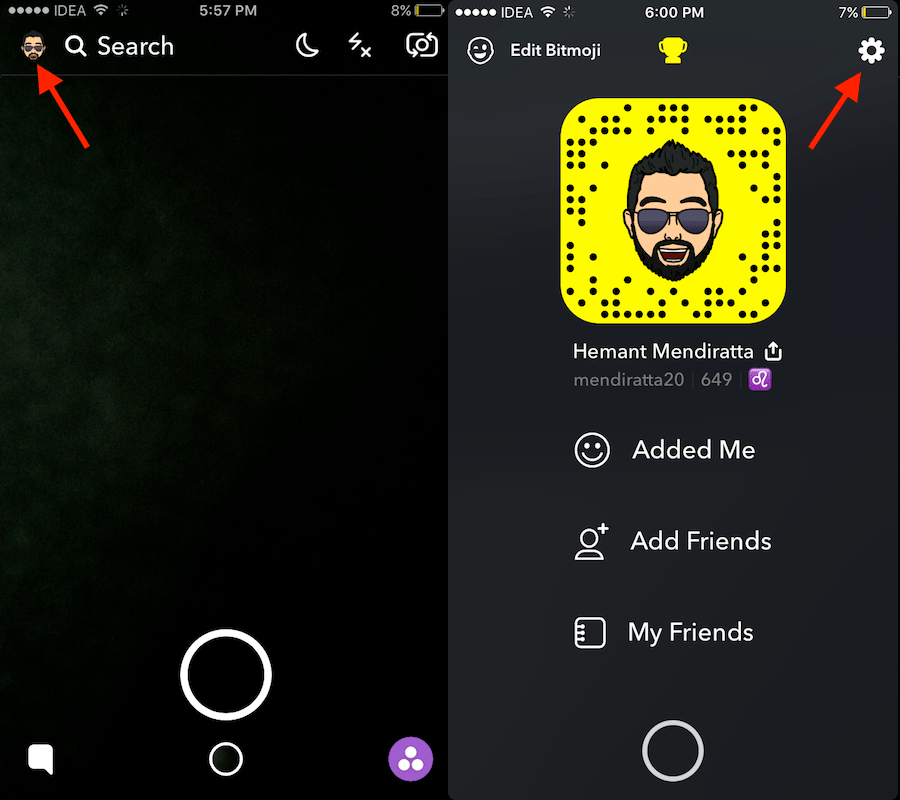
Tap on your Bitmoji icon found in the upper-left corner of the Snapchat Camera Screen.
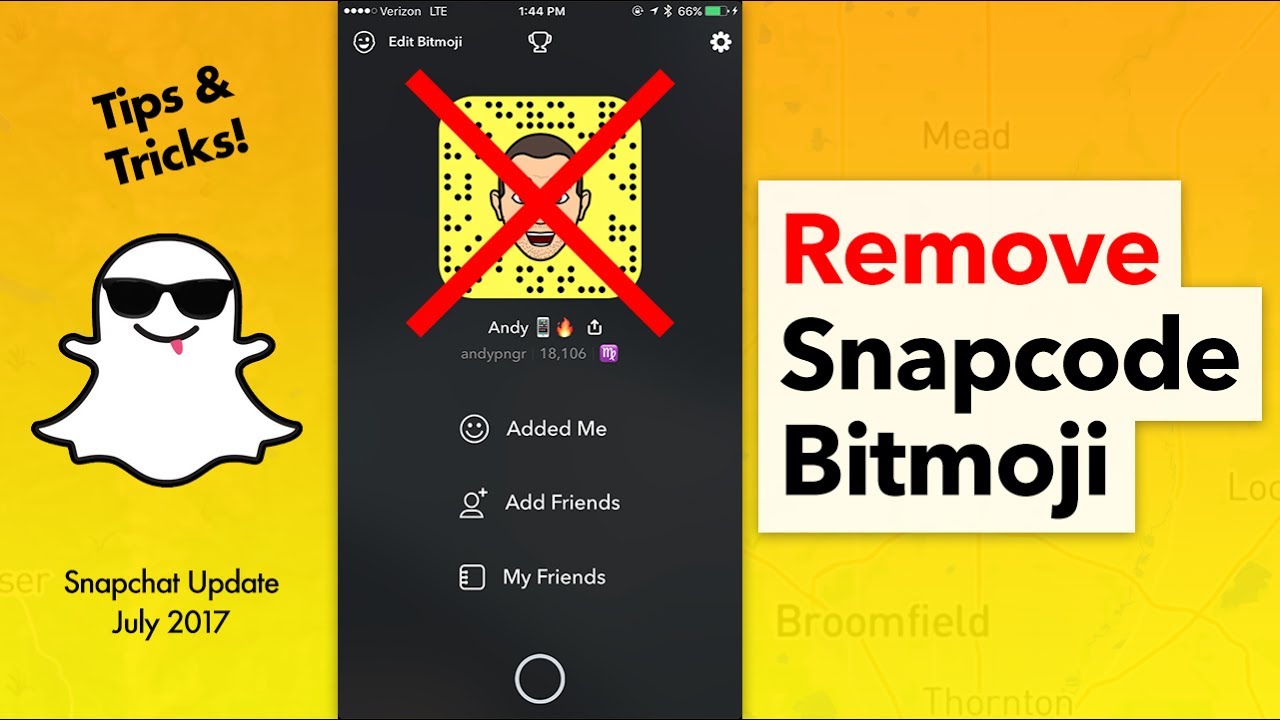
Can you remove bitmoji from snapchat. Last tap Unlink your Bitmoji. Article continues below advertisement. Tap the gear icon or Settings in the top-right corner 3.
And since Snapchat doesnt have a news feed per se like Facebook or Twitter Stories go a long way in keeping new users engaged. Comment voir la position de quelquun sur snapchat in 2020. How To Remove Snapchat 3D BitmojiIn This Video I Will Show You How To Remove Snapchat 3D BitmojiLot Of Snapchat Users Reported To 3D Bitmoji Dont Like Then.
How do you get rid of Bitmoji on Snapchat 2021. Also you wont be able to add Bitmoji stickers from the option in the app. You can also expect existing Bitmoji Snapchat features to look a little different making your Bitmoji much more life-like.
Now select one of the selfies with a mask. Answer 1 of 2. So toady in this blog I am going to share some basic knowledge to change bitmoji avatar on Snapchat app or say to change snapchat avartar.
Tap My Contacts and toggle on Connect Contacts so that you can see your friends in your stickers. You can share the Bitmoji Stories profile with other users so that they can also access their own Bitmoji Stories but they will not be able to view your personalized stories. Unfortunately there isnt a privacy setting on Snapchat that allows you to hide your snap score from others.
Scroll down and press Select Selfie. Currently there are three Change Outfit Edit My Bitmoji Choose a Selfie. You can unlink by following these steps.
IN 2002 A 13-VEAR-OLD GARBAGE MAN WON ON THE LOTTERY. Step 1 Open Snapchat. N youre on snapchat and the bitmoji pops up - When youre on snapchat and the bitmoji pops up.
You cannot delete a single bitmoji only the entire feature. Confirm you want to Unlink your Bitmoji. In the Snapchat app tap on your Bitmoji in the top-left corner of the camera screen.
This will remove all the bitmoji stickers from your Snapchat. Its at the top-left corner of your profile. If playback doesnt begin shortly try restarting your device.
Select Unlink your Bitmoji on the bottom of the screen. How to remove bitmoji on Snapchat. Select Unlink your Bitmoji on the bottom of the screen 5.
Usually when when you send someone a message or snap on Snapchat and you get the pending arrow this means that the other person has not accepted your message or friend request. In the Snapchat app tap on your Bitmoji in the top-left corner of the camera screen. One of the only real differences is that the apps settings are sectioned off but Bitmoji in Notification is still toward the top of the first section My Account And instead of the toggle you tap a box to opt out of the new setting.
Open the Snapchat app and click on your Bitmoji icon in the top left hand corner of the screen. In the Snapchat app tap on your Bitmoji. However Snapchat does not allow you to share these Bitmoji Stories with any users.
You can unlink by following these steps. That will show you all options that you can use for your Bitmoji. Tap the gear icon or Settings in the top-right corner.
You might be familiar with Snapchat and bitmoji avatar if you have used already before. Just wanted to belpartit it. If you created your Bitmoji using the Snapchat login then it will not only be removed from Snapchat but also deleted from the Bitmoji app.
The stories are only visible to you. Answer 1 of 5. With this your Snapchat profile picture and Snapcode wont have Bitmoji anymore.
So that people get attract towards your amazing bitmoji avatar. Although you can use these for Facebook WhatsApp or Viber Snapchat doesnt have an option that lets you change the pose of your Bitmoji. This is because it only displays your face as a.
You can unlink by following these steps. Its at the top-left corner of the screen1 X Research sourceStep 3 Tap Create Bitmoji. If you dont feel like contributing to Snapchats well-being you can very easily turn it off.
But you can always add them using the Bitmoji keyboard if your Bitmoji is not deleted from the Bitmoji app. Its the yellow icon with a white ghost typically found on your home screen iPhoneiPad or in the app drawer AndroidStep 2 Tap the Ghost. You cant however edit your Bitmoji without the app so that can be good to know if you are planning to e.
To remove your Bitmoji character from Snapchat without deleting the character tap your Bitmoji in the top-left corner of Snapchat tap the gear icon then select Bitmoji. This is because a user can only see someones snap score if both parties added each other as a friend. All you need to do to check is go to your bitmoji on the map click on it and click to update status.
Follow these steps to set up Friendmoji on the Bitmoji app. Finally tap on Unlink or Unlink my bitmoji button to remove your bitmoji avatar from your Snapchat profile. Tap the gear icon or Settings in the top-right corner.
Just like Cameos Selfies Snapchat by default allows any user on Snapchat to see your Snapchat Stories. IvefGotamiy own life now. Select Unlink My Bitmoji option.
Tap on the Settings gear at the top right corner. Confirm you want to Unlink your Bitmoji. In the Bitmoji app tap on the Gear icon at the top-right corner.
You can keep your Bitmoji along with all the Bitmoji stickers and other things centered around your Bitmoji character on your Snapchat even if you delete the Bitmoji app. You may want to ensure that your email address and phone number are up to date before getting started. Can I remove my Bitmoji from Snapchat.
Select Unlink your Bitmoji on the bottom of the screen. You Bitmoji account will be permanently deleted and unlinked from Snapchat if you delete your account. For example clothing pieces will now have more textures and details and.
In the Snapchat app tap on your Bitmoji in the top-left corner of the camera screen 2. Diagram of tooth numbering system viewed as if looking.
How To Remove Bitmoji From Snapchat In 2021 Techuntold

How To Add A 3d Bitmoji Avatar To Your Snapchat Profile Pocke


Komentar
Posting Komentar