How Do You Put A Snapchat Filter On Your Bitmoji
In the search bar at the top type in Bitmoji Stories. From there tap the Link Bitmoji button.

Google Classroom Headers Cute Emoji Snapchat Girls Instagram Emoji
Snapchats dancing hot dog has a new best friend and its you or at least you in Bitmoji form.

How do you put a snapchat filter on your bitmoji. Its the yellow icon with a white ghost typically found on your home screen iPhoneiPad or in the app drawer AndroidStep 2 Tap the Ghost. Once youve done this the second thing you need to. A tutorial on how to edit your bitmoji outfit and bitmoji selfie within snapchat.
Open the rear-facing camera and tap anywhere on the screen to pull up the lenses. Snapchat has introduced a way to customize your Bitmoji selfie to add fancy new masks. On iPhone you may have to enter your Apple ID password before Bitmoji will download.
Choose your style and hit the check mark button in the top-right corner. Now select one of the. Scroll down and press Select Selfie.
Tap Change Outfit under Bitmoji. To do this go to the settings section of Snapchat represented by the gear wheel tap it and then select Bitmoji and link it with Snapchat. Launch Bitmoji and tap Create with Snapchat.
There you go lots of masks will show up. If you dont see this option be sure to download the latest version of Snapchat via an update through the App Store. Design and submit to Snapchat instantly.
Open Bitmoji in the Play Store tap Install. Under My Account select Bitmoji. The new page opens Scrool down until you see bitmoji section.
Create a free filter for a location or moment that is special to you. The Bitmoji options simply have a single icon to represent that Bitmoji activitySep 18 2017. Once Bitmoji has downloaded and installed open the Bitmoji app.
To find your Bitmoji Stories launch the Snapchat app and swipe left to reach the Discover window. Next hit the Profile icon at the top. First you must have successfully set up your iOS Bitmoji Keyboard.
Click your Bitmoji character on your top left. Tap Skip or Continue. How to Get Face Mask on Snapchat Bitmoji.
Launch the Snapchat app. If youre unfamiliar with Bitmoji its a personal emoji generator that lets you create an. As youre taken to the Bitmoji app tap on Create with Snapchat.
Its at the top-left corner of the screen1 X Research sourceStep 3 Tap Create Bitmoji. Tap the Ghost in the top left corner of the screen. Snapchat is bringing your Bitmoji to life by making them 3D and unlocking their potential with.
Tap Log in with Snapchat. Then once in the bitmoji keyboard simply select the smiley face icon in the righthand corner of the keyboard and swipe left for fun bitmoji stickers of your and your friend. Youll see them appear to the right of the capture button.
Bitmoji is fully integrated into Snapchat so now all you have to do is create an account and assemble your avatar and itll be available in stickers you can slap on your Snaps as well as filters. Ad The 1 Geofilter Maker for Snapchat. Select the correct profile and tap and hold on the title.
In the top left corner of the screen. Its at the top-left corner of your profile. How to put a mask on your Bitmoji.
Frames and artwork friends can add to their Snaps. Augmented reality experiences friends can play with. If youre looking for something in particular please scroll down to see all the available options.
Next tap on the gear icon at the top right corner of the screen. Nowdays snapchat introduced a new bitmoji - face mask bitmojiwe can put mask bitmoji on our Snapchat profileits new update from Snapchatyou cam easily. Open Snapchat tap the ghost at the top of the Camera screen then tap the gear icon to open Settings and tap Bitmoji.
That will bring up a long list of things but you should look for and tap Notifications At the top of the screen should be what youre looking for. Scroll down and tap Select selfie. Promote your website app or products with ads on Snapchat.
Type your custom text and slide the suggestions to see all customized results. Or select Edit Bitmoji at the top left corner and skip the next step. Tap Bitmoji at the top left corner of the camera screen.
Open your Snapchat App. Use your new power wisely. If youre already logged in you.
Now launch the app and click on your Bitmoji avatar in the top left corner of the screen. They do not appear on their own unless you have subscribed to them. Click Select selfie on bitmoji section.
In the Snapchat app tap on your profile in the top-left corner of the camera screen. In Bitmoji Paint your avatar will land on a pixelated canvas with hundreds of other players all of which are making their own contributions to. In the Profile screen scroll to find Bitmoji.
Simply tap to share a sticker made just for you. In the Snapchat app you can change your outfit by following these steps. This will change your outfit and style in your snapchat stickers automatica.
How To Make Your Bitmoji Dance. Snapchat just announced a new partnership with Bitmoji to allow users to create custom geo-filters. Select the bitmoji sticker you want and send.
The platform introduced the new game in a post on the Snapchat Newsroom. To do so first update your Snapchat app to the latest version v108250. For iPhones when you open Snapchat tap your Bitmoji in the top left corner and then tap your Settings.
How do I customize my stickers on the Chrome Extension. With your Bitmoji you can jump into the virtual world of Bitmoji Paint. Click Discover or chat.
Open Bitmoji in the App Store tap Get and tap Install. Youll have the option of taking a selfie to make your Bitmoji more accurate. First open the Snapchat app then choose the avatar style Bitmoji Deluxe in My Profile.
Step 1 Open Snapchat. Open the Snapchat app and click on your Bitmoji icon in the top left hand corner of the screen. If you havent installed the Bitmoji app youll be taken to the App Store to download the app.
Next open a messaging app that works well with Bitmoji Keyboard and tap on the pen icon to create a custom sticker.
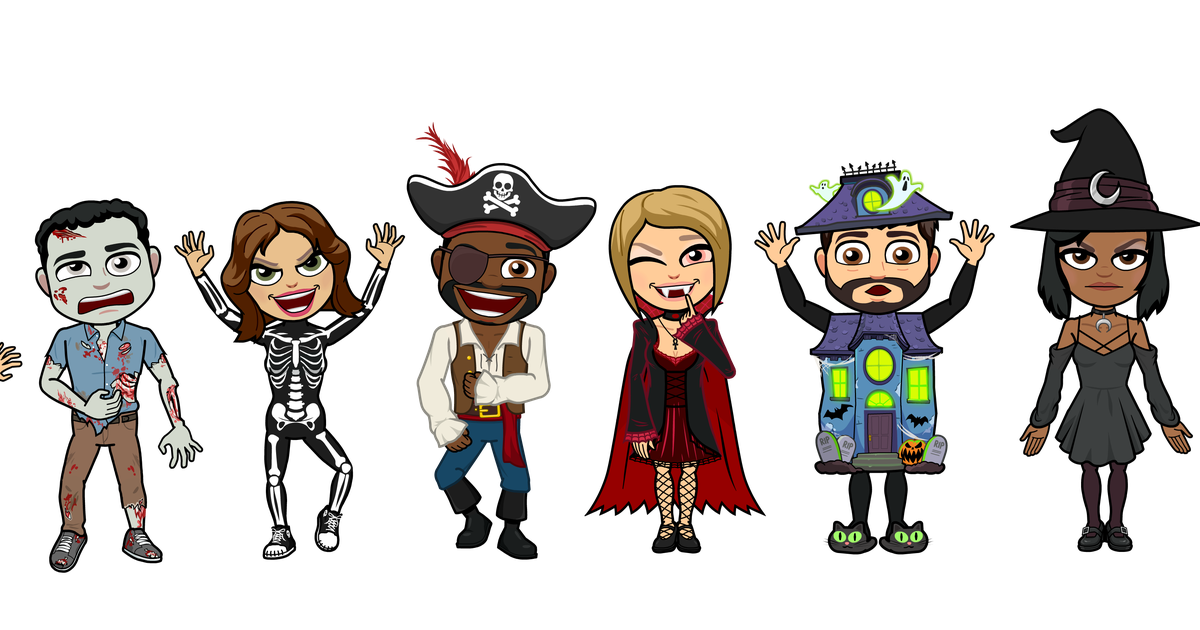
Snapchat And Bitmoji Team Up To Celebrate Halloween Snapchat Halloween Cool Halloween Costumes Spirit Halloween

Snapchat How To Add 3d Animated Bitmoji Lenses To Your Snaps


Komentar
Posting Komentar