How To Get More Bitmoji Selfies On Snapchat
Create Bitmoji with a Selfie. To do so first update your Snapchat app to the latest version v108250.

Snapchat How To Change Bitmoji Selfie On Snapcode Youtube
Tap your Snapcode then tap Change Selfie.
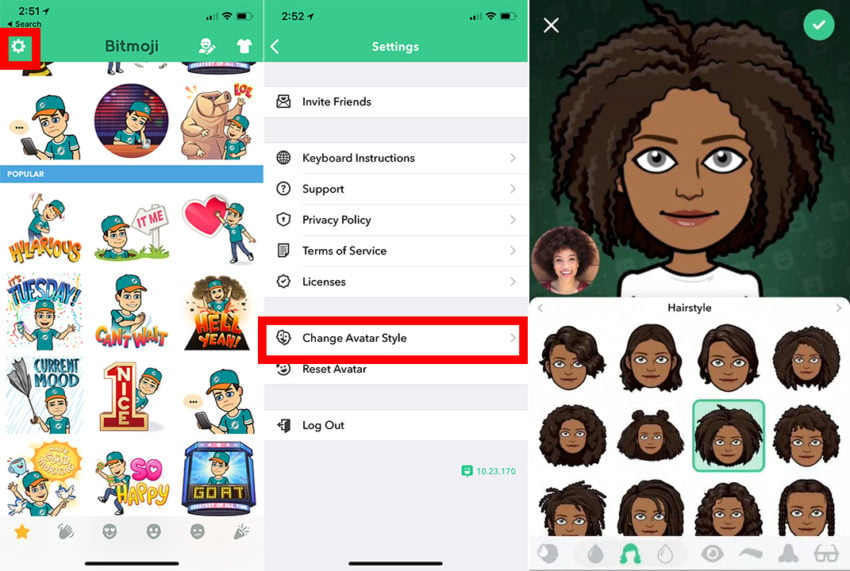
How to get more bitmoji selfies on snapchat. Full detailed natural looking wave unit tutorial duration. The icon displays a face with a sign on it. Scroll down to see all the Selfies then tap to choose your Bitmoji Selfie.
To change your Bitmoji Selfie follow these steps. Now to change the selfie tap on any which you like and then click on save. Its the winking chat bubble icon on a green background.
On your profile screen tap Edit Bitmoji at the top left. Launch Snapchat and log in to your account. In the Snapchat app tap on your Bitmoji avatar in the top-left corner of the camera screen.
Now youll see it on your photo or video. Answer 1 of 6. Take Your Bitmoji to the Beach.
How to Use Your Selfies to Create a Bitmoji Deluxe. How to UNLOCK Santa Hat Christmas Items for Snapchat Bitmoji - A tutorial on how to get new christmas and holiday themed items for your snapchat bitmoji. Drag the Bitmoji to the desired location on your Snap.
As it seems a bunch of things. Scroll down and tap on Create Bitmoji under Bitmoji. Click Discover or chat.
Pinch the Bitmoji with two fingers to make it smaller or pinch outward reverse-pinch to increase its size. Make sure youve created a bitmoji avatar for your Snapchat account. You should see all your regular Bitmoji stickers if you have linked Bitmoji to Snapchat In the bottom panel tap the option next to Bitmoji.
Open your Snapchat App. A list of sharing options will appear. Click your Bitmoji character on your top left.
Snapchat just announced a new feature called Bitmoji Deluxe adding hundreds more options to customize your avatar including new skin tones hairstyles eye and hair colors facial features and. Here you can scroll through a number of selfie customizations provided by Snapchat. Click on the Complexion symbol as well as scroll with all the natural complexion till you get to the purple or eco-friendly or blue and also pick it.
On the following screen select the mood you want to set for your bitmoji and tap Done at the bottom. On iPhone you may have to enter your Apple ID password before Bitmoji will download. Open the Bitmoji app.
As mentioned above it becoming trends on both IOS and Android which installed the Snapchat app. Tap Change my Bitmoji selfie. Head to the Snapchat app swipe right as well as click your Bitmoji symbol in the top left edge.
Install it if you dont. Tap one of the category icons at the bottom of the screen to display Bitmoji in that category. Open Bitmoji in the App Store tap Get and tap Install.
Choose between Change My Outfit and Change My. Tap Edit Bitmoji in the top left corner of the screen. You would possibly even have the Bitmoji app.
Today Bitmoji owner Snapchat seeks to rectify this problem with the announcement of Bitmoji Deluxe. Locate the Bitmoji you want to save. Open Bitmoji in the Play Store tap Install.
Tap the Bitmoji you want to download. Tap Continue when youre prompted to start with a selfie. Select the bitmoji sticker you want and send.
Play a Round of Golf. The Bitmoji app exposes a world of pot. Open Snapchat and make sure it is up to date.
Allow Bitmoji to access your camera so you can take a selfie Center your face in the circle in good lighting. To set up a new Cameo selfie launch the Snapchat app and open a chat with any user. How to get long hair on bitmoji.
However what area unit these lovable full-sized avatars for anyway. Visit a golf course with your Snapchat open and play a round of golf with your Bitmoji. Go to the beach open the Snapchat app and your Bitmoji will start making castles in the sand.
Start by selecting the gender. The new page opens Scrool down until. Select the Ghost icon and select Create Bitmoji in the top left of the screen.
Select the Create Bitmoji button on the next screen. Open Snapchat and tap the bitmoji at the top left. Youve in all probability seen a Bitmoji floating around on Snapchat Facebook or Instagram.
You can also access the feature through Snapchat by selecting Edit Bitmoji If the update has rolled out to you youll see a prompt notifying. On the next screen tap on Unlink My Bitmoji at the bottom. To use Bitmoji Deluxe all you need to do is go to Settings in the Bitmoji app and then tap Change Avatar Style to get started.
If youre standing near an airport your Bitmoji will be shown as taking a break with luggage on its back. In the Bitmoji app tap on the three dots in the top-right corner 2. Launch the Bitmoji app and select Create with Snapchat.
If you created your Bitmoji using the Snapchat login then it will not only be removed. Then once in the bitmoji keyboard simply select the smiley face icon in the righthand corner of the keyboard and swipe left for fun bitmoji stickers of your and your friend. The new style of Bitmoji in addition to the standard style and ancient Bitstrips style.
Under My Account select Bitmoji. Assuming you already have Bitmoji installed bring up your Snapchat interface. A huge numbers of amazing selfies are here so that your avatar looks more loyal and lovely.
Tap the Bitmoji app icon which resembles a white smiley face on a light-green background. Take a Break While Traveling. Now tap the emoji option next to the chatbox.
Now tap on any video and get ready to take a selfie. Download the Bitmoji app. Scroll down and tap Select selfie.
Scroll to the Bitmoji area as well as click on Modify your Bitmoji. This will unlink your bitmoji on Snapchat. In this Snapchat Tutorial I teach you how to change your Bitmoji Selfie on your Snapcode.
Now launch the app and click on your Bitmoji avatar in the top left corner of the screen. Doing so is similar on both iOS iPhoneiPad and Android devices. Download the Bitmoji app if you dont already have it.
Tap on the profile icon on the top left of the screen. Tap a Bitmoji to add it to your Snap. Make Your Bitmoji Deluxe.
How to Get Face Mask on Snapchat Bitmoji. First update the Bitmoji app for iPhone or Android if you already have it installed. Here which all these selfies are available will appear how your bitmoji will look like in Snapchat.
Down below youll find step by step to put a mask on your profile and how to easily use the bitmoji filter on your Snapchat app. Tap Done on the bottom to save your changes. This will take you to the Bitmoji screen.
Select Unlink on the dialog box to confirm. If you dont like any of them you can always change your. Httpfullsc1jqvDJmhow to use bitmoji on snapchat.
Select an avatar that looks like you.
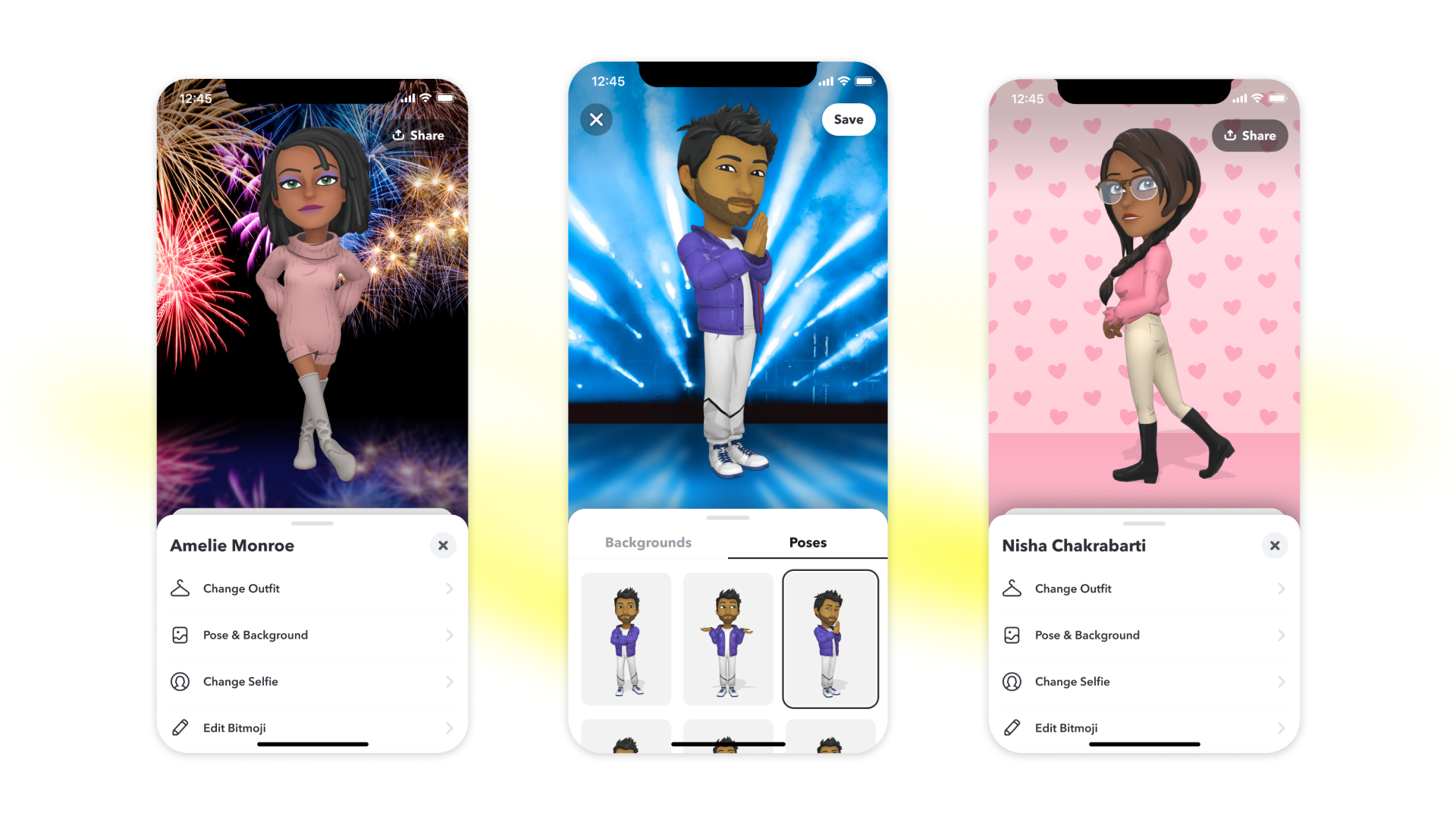
Change Bitmoji Selfie And 3d Bitmoji Header Bitmoji Support
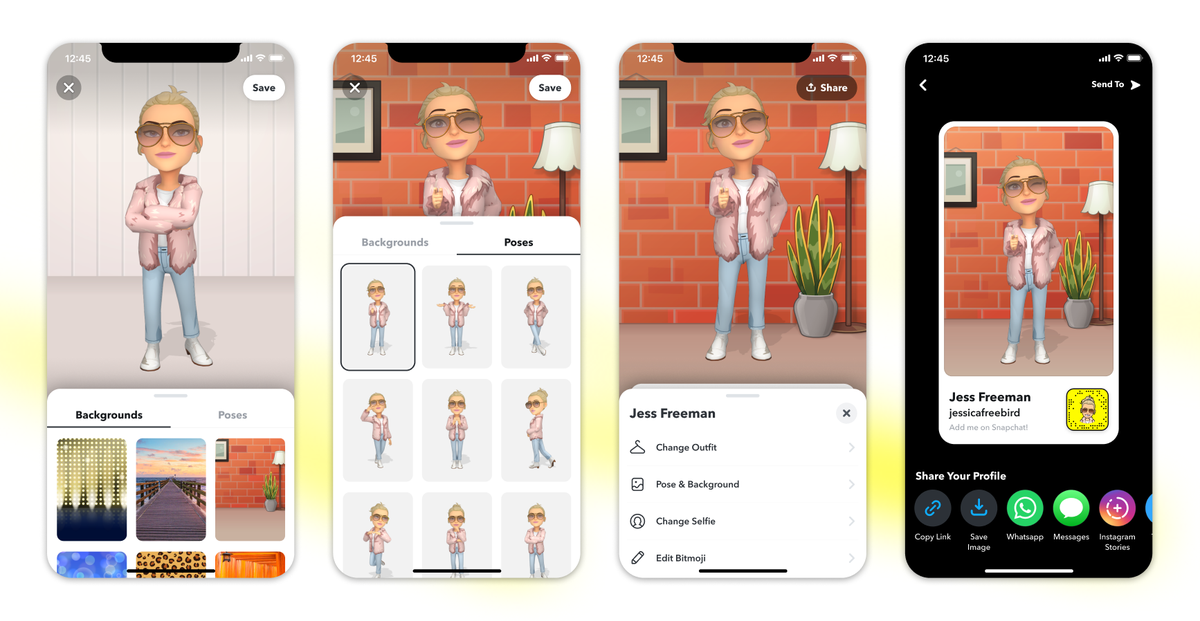
Change Bitmoji Selfie And 3d Bitmoji Header Bitmoji Support


Komentar
Posting Komentar