Can You Take A Filter Off A Saved Snapchat Video
We know that filters often change by location date and time. Ever wondered whether or not its possible to fake a live Snap in Snapchat.

Snapchat Speed Filter Custom Snapchat Geofilters Wedding Snapchat Filter Personalized Snapchat Filter
In Snapchat snaps can be only sent if you took a photo or video on the spot.

Can you take a filter off a saved snapchat video. Then paint the desired portion of the filter or object which you. Click on my data 3. And to turn off Snap Camera all together just close the app.
The latest features added last week are destined to. Look for a small lock symbol that will appear next to the record button as soon as you. To do that tap on the Send to button at the bottom right while still in editing mode.
And its ephemeral nature means its great for sending silly and unflattering images or videos of yourself that youd otherwise never send. First you have to click on the video and then the 3 dots Menu in the top right. If you are not a big fan of filters and in cases of bad edits it is not difficult to get rid of the filters from your saved photo.
You can also export it. Step 1 Once you have taken the picture added the filter and now want to remove it first save the image to your device. The above video is the tutorial example of removing Snapchat filters from saved images.
The entire allure of Snapchat is that a photo or video sent through the service completely disappears after a few seconds. It really is that fast and simple to use. If you added a filter after recording your video you can remove that too.
To use a filter click on it and it will take over. Remove any stickers filters or text you want. Youll now see your data is ready -.
Snapchat has introduced a new feature called Friendship profile which lets you see all the previous photos and videos that you and your friend have saved in. If you use the LMK app you can use an existing photo or video in your camera roll and send it as a normal snap. You can also add new ones if you.
Yes its possible only if you have already saved the video to snapchat memories or your camera roll. How to take off a Filter from Snapchat. Press and hold a filter and then swipe with another finger to combine two filters.
Luckily you can use the undo button as many times as you need to remove all filters added and start afresh. Open the Snapchat app. Answer 1 of 10.
You can even use shortcuts to save Snapchats instantly. Once selected click the scissors icon followed by the Magic Eraser tool Star icon. Once the image is loaded tap three vertical dots present at the top right corner.
You could use the clone tool which is in most if not all photo editors. Watch this video and follow these simple steps to remove the Snap filter from your pictures using the Magic Eraser tool. But not all of us are fond of using them.
The other option is to create a new Snapchat Story with your saved image or video. Later you can save Snapchat pictures as PNG JPEG BMP TIFF and many other formats without them knowing. Begin recording a video as you normally would by holding down the record button at the bottom of the screen.
So its certainly worth checking for a Camera Roll filter that may work for you. For those who dont already use Snapchat the apps newest update might change at least a few minds. To turn it off just click it again.
To start with select a picture with a Snapchat filter and an unwanted object. Previously Snapchat included a Magic Eraser tool that Remove Snapchat Filter from an image. While the app doesnt officially support this there are third-party apps that can help you do it.
However you can bypass this by installing the LMK app as mentioned in this article. Select the image you want to edit and remove the filter from. Theres the option to take screenshots or record the screen on your mobile device but the app tells the other person when you do so.
This tool was later removed from the app for unwanted reasons. All you have to do is just tap on the snap click the edit button and then swipe to whichever filter you now prefer what follows is to click the arrow in the bottom left-hand corner to save it to your phone. Take for instance you saved a snap to your Snapchat memory then you can get rid of the filter.
Its even quickly deleted off of the companys servers. Save Snapchat pictures at any customized size. Tap Memories to load the Saved images.
Answer 1 of 3. Once you have updated the app follow this guide to use the hands-free recording on Snapchat. Instructions to remove the Snapchat filter from a saved picture.
You will then be sent an email follow the link which will take you back to the login screen. You just need to go to the memories section to find them. Make use of magic eraser.
Main Features of the Snapchat Saver. Click submit request 4. Just set the source to somewhere near the yellow lines while not selecting the yellow line in the source and then draw over the lines.
Here are simple steps to remove Snapchat filters from saved pictures using Magic Eraser. Dont worry you do not have to make a mess in the file manager to find the saved video. Download the application from your play.
Lets look into the ways of removing the filters from your saved photo. Use two video filters simultaneously. While Snapchat is a fun way to share moments with others its also frustrating you cant revisit a picture or video someone sent you.
Whats more you can edit Snapchat pictures before saving with various drawing filters. While recording a video or on the main screen you will find an icon with two cards. To remove a filter tap the Filters button on the right-side panel and select Normal.
Tap Save once you have removed your effects. You can combine many of the filters such as the reverse filter with a geofilter or the fast-forward filter with the black and white filter. Snapchat provides a lot of amazing filters that redefine your picture.
In most cases this will work but it greatly depends. You can access it directly on the Snapchat app itself.

Pin By Aamirsohail On Snapusers Photo And Video Turn Ons Snaps
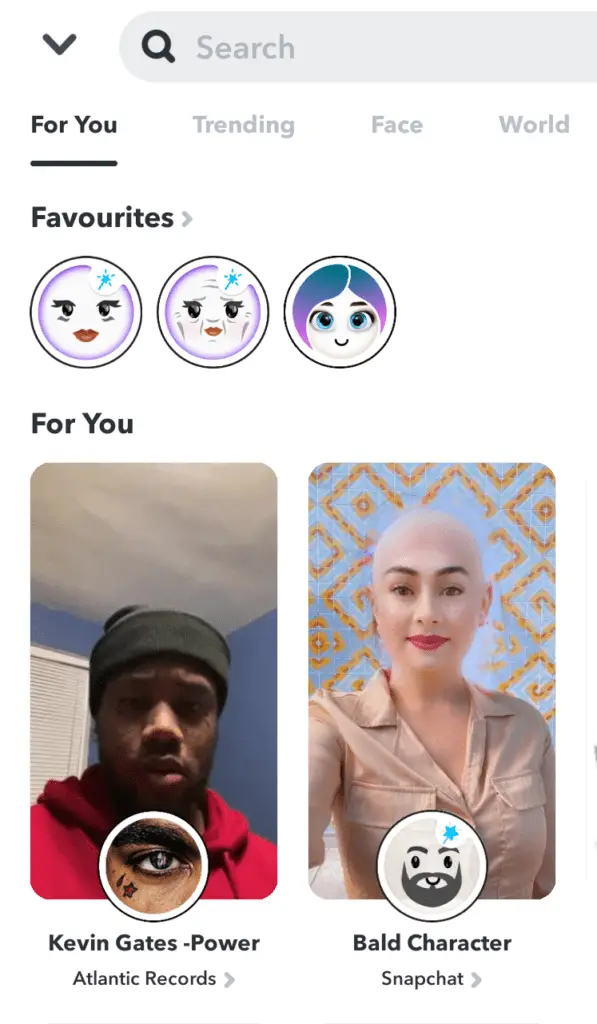
How To Save Filter Lenses On Snapchat Forever 2021 Salu Network


Komentar
Posting Komentar